

Need help. somebody deleted multiple adobe file from my computer. When I try save them again, I am unable to do so
Posted on | May 5, 2012 | 16 Comments
I don’t know, what to do. There is some kind of new tampering with my computer. Many files that I send to court, are Adobe PDF files. Suddenly they disappeared. When I tried to save them again, I got a message that there is a problem with the file, it cannot be saved. this is serious, as in federal courts everything is filed electronically, through ECF.
Does anyone know how do I solve this problem. I am really angry with these thugs running the country. They really will stop at nothing. I hope one day we send them all to prison, and not a regular one, something like GITMO or Alcatraz
Comments
16 Responses to “Need help. somebody deleted multiple adobe file from my computer. When I try save them again, I am unable to do so”
Leave a Reply
EVIDENCE AGAINST OBAMA — YouTube Indiana Trial of Obama !
Petition the White House to institute Edward Snowden, National Whistleblower – Patriots against Government Corruption Day

 OrlyTaitzEsq.com
TAITZ REPORT


Official Facebook
IMPORTANT NOTICES – PLEASE READ!
Historic DVD Now Available!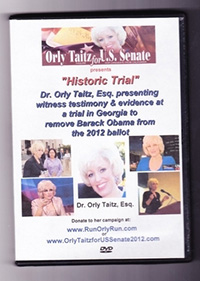 DVD of the historic trial in GA and DVD of a historic testimony in NH, where evidence was provided showing Obama using a forged birth certificate and a stolen social security number. The DVDs are in a beautiful commemorative case with personal autographs from attorney Dr. Orly Taitz $22.50 each +$2.50 for shipping and handling.
---------
To order these DVDs, donate $25.00 by credit card on the website RunOrlyRun.com and email orly.taitz@gmail.com with you name and address. Or send a $25.00 check with your name and address to: Orly Taitz for US Senate 2012, 29839 Santa Margarita ste 100, RSM, CA 92688.
DVD of the historic trial in GA and DVD of a historic testimony in NH, where evidence was provided showing Obama using a forged birth certificate and a stolen social security number. The DVDs are in a beautiful commemorative case with personal autographs from attorney Dr. Orly Taitz $22.50 each +$2.50 for shipping and handling.
---------
To order these DVDs, donate $25.00 by credit card on the website RunOrlyRun.com and email orly.taitz@gmail.com with you name and address. Or send a $25.00 check with your name and address to: Orly Taitz for US Senate 2012, 29839 Santa Margarita ste 100, RSM, CA 92688.
Advertisement / Sponsors
 29839 Sta Margarita Pkwy,
Ste 100
Rancho Sta Margarita, CA 92688
orly.taitz @gmail. com
(949) 766-7687

--------------------------------------
 Videography by Barbara Rosenfeld
--------------------------------------

Bumper Sticker
$9.99 thru PayPal--------------------------------------

--------------------------------------Orly Taitz Photo Collections







May 5th, 2012 @ 4:05 am
It is likely that you are using Microsoft Windows. Microsoft Windows is made by Microsoft. Microsoft is owned by Bill Gates. Bill Gates is big Obama supporter. You need to switch to running Linux. I wouldn’t switch to any Apple computer because Steve Jobs was also Obama supporter. My advice, get rid of the computers!
May 5th, 2012 @ 4:16 am
Bill Gates owns Microsoft and makes Windows. You are using Windows. Bill Gates is Obama supporter. Put two and two together. What do you get?
In a case like this, you should probably go low-tech. You have a type writer and a fax machine don’t you?
May 5th, 2012 @ 4:57 am
Too bad your husband is a computer klutz, otherwise he could help.
May 5th, 2012 @ 5:19 am
don’t you have better things to do, than attack my husband? get a life
May 5th, 2012 @ 5:20 am
seriously???
get rid of computers? any more brilliant ideas?
May 5th, 2012 @ 5:36 am
Can you burn the files on cd’s and save them that way? Getting an Apple computer with good antivirus and anti-hacking software would offer a good back-up to your PC. You will need the software to use Word and Excel docs…All the Best….
May 5th, 2012 @ 5:36 am
Besides keeping back-up copies in other formats, like word.doc, .txt, etc also print the documents onto hard-copy (paper)then if you need them you can scan them again back into your PC and save them as .jpg, .tiff, etc
May 5th, 2012 @ 9:49 am
I think you will find that the problem is with Adobe.com.
i have been having the same problem with Adobe Pdf files. But I keep fighting the problem.
They want everybody to buy the program that creates Pdf which costs about $600.
Try going to the attorney General and complain.
Maybe you have enough clout to get the Attorney General to move against Adobe. I tried in the State where I reside but it did no good.
May 5th, 2012 @ 10:40 am
Acrbat X is the one they are trying to force everyone to buy. It is around $600.
People forget that there are multi Pdf files creators on the market including Microsoft and Nuance and Adobe thinks they own all of these files.
There is Word 10 but I do not think Government agency allows these files to be uploaded. You could try using Word 10 and then use Microsoft’s Pdf Creator which is around $100.
Save the files in both Microsoft Word 10 and Microsoft PDF and then use Microsoft Pdf creator to transmit Microsoft PDF files..
May 5th, 2012 @ 10:42 am
Should be Adobe X not Acrbat.
May 5th, 2012 @ 5:14 pm
II keep getting it wrong. Should be Adobe Acrobat X.
May 6th, 2012 @ 4:58 am
Orly: maybe send these psychos to a FEMA CAMP????
May 6th, 2012 @ 5:21 am
when I try to save the Adobe files in Documents, I get a message, error 26, the document canno tbe saved. The same documents were saved before with no problem. what should i do to solve this problem?
May 6th, 2012 @ 6:13 am
Dear Orly, switch to LINUX. It has an excellent open word program(I use it all the time to publish articles for my club. nice thing about LINUX, it’s free. Good luck and God Speed!
May 6th, 2012 @ 7:12 pm
Dr. Taitz,
Will Adobe allow you to “Save As” a Word document?
Perhaps saving the doc to your desktop would work?
Good luck!
May 6th, 2012 @ 9:35 pm
no, the problem is that suddenly I can’t save new PDF files in documents. I could do it just 2 days ago. I don’t know, what happened