

There are no viruses on this site. Please, don’t use old bookmarks. Re-type the URL on the top of the page. Type orlytaitzesq.com
Posted on | April 7, 2010 | 3 Comments
Category: Uncategorized
Comments
3 Responses to “There are no viruses on this site. Please, don’t use old bookmarks. Re-type the URL on the top of the page. Type orlytaitzesq.com”
Leave a Reply
EVIDENCE AGAINST OBAMA — YouTube Indiana Trial of Obama !
Petition the White House to institute Edward Snowden, National Whistleblower – Patriots against Government Corruption Day

 OrlyTaitzEsq.com
TAITZ REPORT


Official Facebook
IMPORTANT NOTICES – PLEASE READ!
Historic DVD Now Available!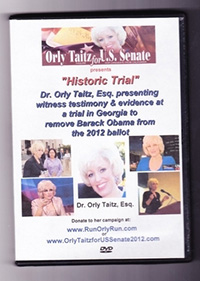 DVD of the historic trial in GA and DVD of a historic testimony in NH, where evidence was provided showing Obama using a forged birth certificate and a stolen social security number. The DVDs are in a beautiful commemorative case with personal autographs from attorney Dr. Orly Taitz $22.50 each +$2.50 for shipping and handling.
---------
To order these DVDs, donate $25.00 by credit card on the website RunOrlyRun.com and email orly.taitz@gmail.com with you name and address. Or send a $25.00 check with your name and address to: Orly Taitz for US Senate 2012, 29839 Santa Margarita ste 100, RSM, CA 92688.
DVD of the historic trial in GA and DVD of a historic testimony in NH, where evidence was provided showing Obama using a forged birth certificate and a stolen social security number. The DVDs are in a beautiful commemorative case with personal autographs from attorney Dr. Orly Taitz $22.50 each +$2.50 for shipping and handling.
---------
To order these DVDs, donate $25.00 by credit card on the website RunOrlyRun.com and email orly.taitz@gmail.com with you name and address. Or send a $25.00 check with your name and address to: Orly Taitz for US Senate 2012, 29839 Santa Margarita ste 100, RSM, CA 92688.
Advertisement / Sponsors
 29839 Sta Margarita Pkwy,
Ste 100
Rancho Sta Margarita, CA 92688
orly.taitz @gmail. com
(949) 766-7687

--------------------------------------
 Videography by Barbara Rosenfeld
--------------------------------------
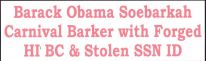
Bumper Sticker
$9.99 thru PayPal--------------------------------------

--------------------------------------Orly Taitz Photo Collections







April 7th, 2010 @ 12:50 pm
Obama supporters are doing this in a very simple way, and the way to fight it is equally simple.
They use this method as well on the social media sites and YouTube: the Report feature.
All they have to do is “Report” that a site contains a virus or is offensive, etc. If enough people do it, a warning appears or the video or account is taken down.
What I did in the case of Orly’s site is to click on the menu on the warning page, eventually getting to the page that allows you confirm that the website is safe.
That is what I did for Orly’s site, and perhaps that was all it took for them to investigate and remove the restrictive warning page.
I don’t think hackers are involved at all.
April 7th, 2010 @ 2:01 pm
I put the browser in Private browsing and did not get the warning messege. Regular browsing I got the warning message.
Thought that might help
Keep up the good work. Orly
April 8th, 2010 @ 10:42 am
I’ll have to take back what I said before. There does appear to be a virus that installs itself when this page is visited. It seems to be the dreaded Security Tool virus. Here is how to deal with it.
If, after visiting a webpage, you get a small box announcing that Security Tool has been successfully installed, DO NOT click OK, and DO NOT click the X to close the box. Instead, do a System Restore immediately without closing any program or doing anything.
You might first run the program MSconfig, and remove the Startup entry, which consists of a string of numbers. However, this does not remove the problem entirely, it simply might stop the program from starting. I haven’t tested this.
Security Tool is a fake antivirus tool that really doesn’t do anything and simply makes it impossible to use your computer by filling your viewing area with dialog boxes that don’t go away no matter what you do.